pyttsx3 Convert Python Text into Natural Speech
A cross-platform Python library for converting text to speech without requiring an internet connection. Simple, fast, and completely free.
Up and Running in Seconds
Install pyttsx3 with pip and start converting text to speech immediately. No configuration, no API keys, no hassle.
- Install with pip install pyttsx3
- Import and initialize the engine
- Call engine.say() with your text
					import pyttsx3

# Initialize the engine
engine = pyttsx3.init()

# Convert text to speech
engine.say("Hello, welcome to pyttsx3!")
engine.runAndWait()
Why Developers Love pyttsx3
Built for simplicity and reliability, pyttsx3 provides everything you need for text-to-speech without the complexity of cloud APIs.
Works Offline
No internet connection required. pyttsx3 uses local speech engines for complete privacy and reliability.
Cross-Platform
Runs on Windows, macOS, and Linux with native speech synthesis support on each platform.
Easy to Use
Simple, intuitive API that gets you up and running with just a few lines of Python code.
Customizable
Control voice selection, speech rate, and volume to create the perfect audio output.
No API Keys
Completely free and open source. No registration, subscriptions, or usage limits.
Save Audio Files
Export speech to audio files (MP3, WAV) for use in applications, videos, or podcasts.
What is pyttsx3 Used For?
pyttsx3 is a Python library used for text-to-speech (TTS), allowing applications to convert written text into spoken audio. It works completely offline, making it suitable for local and privacy-focused applications. Below are its main use cases explained in detail:
Converting Text to Speech in Python Applications
pyttsx3 is commonly used to turn text output into natural-sounding speech within Python programs. Developers use it to:
- Read messages, logs, or instructions aloud
- Create voice-enabled desktop applications
- Add speech output to scripts and automation tools
This is useful when users need audio feedback instead of reading text on the screen.
Accessibility and Assistive Technologies
pyttsx3 plays an important role in improving accessibility. It helps users who:
- Have visual impairments
- Experience reading difficulties
- Prefer audio-based interaction
Developers integrate pyttsx3 into applications to build:
- Screen readers
- Talking software interfaces
- Educational tools for learners with disabilities
Because it works offline, it is reliable even in environments without internet access.
Voice Alerts and Notifications
pyttsx3 is widely used to create voice-based alerts and notifications. Instead of showing pop-ups or logs, applications can speak important messages such as:
- System warnings
- Task completion messages
- Error alerts
- Real-time status updates
This is especially useful in monitoring systems, background scripts, and productivity tools where visual attention may be limited.
Offline Speech Synthesis Use Cases
One of pyttsx3’s biggest advantages is its offline functionality. It does not require an internet connection or external APIs. This makes it ideal for:
- Secure or private systems
- Embedded or local software
- Educational environments with limited connectivity
- Applications running on isolated networks
Offline speech synthesis ensures faster response times and better control over user data.
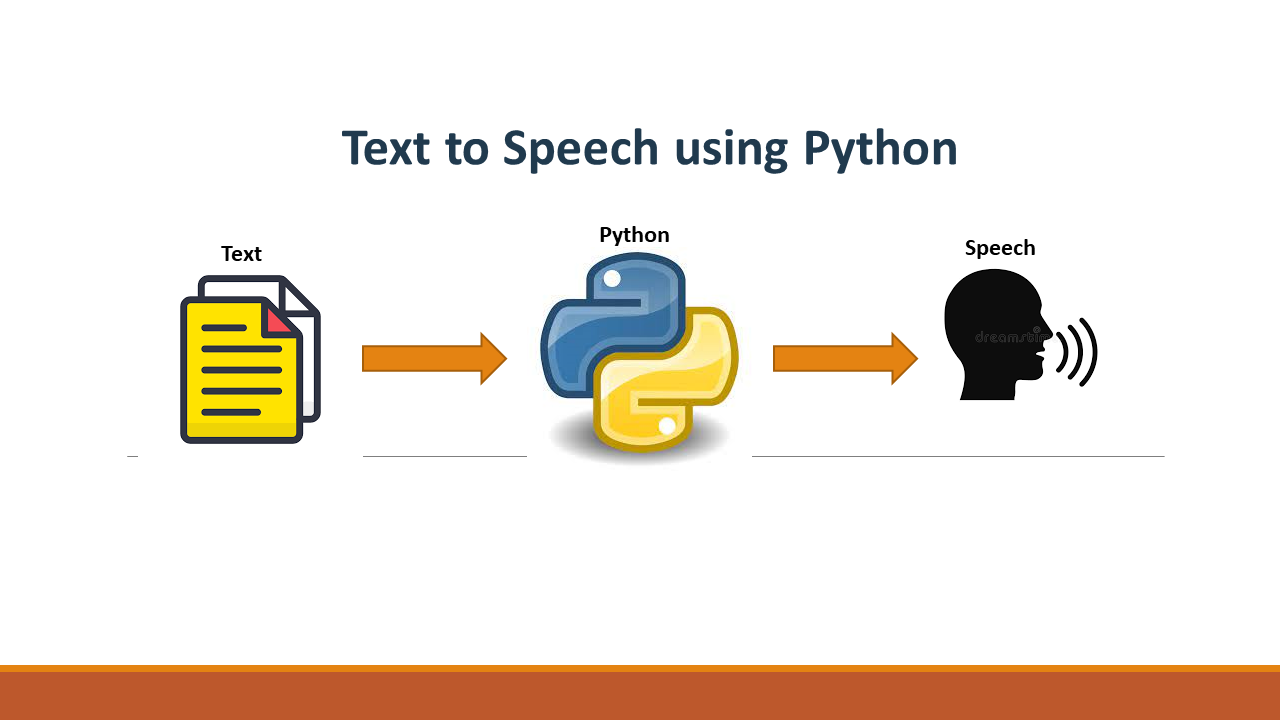
pyttsx3 is an offline text-to-speech (TTS) library for Python. It works by acting as a wrapper around the native speech engines already available in the operating system. Instead of generating voices itself, pyttsx3 sends text and speech settings (rate, volume, voice) to the OS-level speech engine, which then produces the audio output.
Speech Engines Used by pyttsx3
pyttsx3 automatically selects the appropriate speech engine based on the operating system.
SAPI5 (Windows)
SAPI5 (Microsoft Speech API 5) is the built-in speech engine used on Windows systems.
How it works:
- pyttsx3 communicates with Windows through the COM (Component Object Model) interface.
- Text is passed to the SAPI5 engine.
- SAPI5 converts the text into speech using installed system voices.
- Audio is played through the system speakers or saved to a file.
Key characteristics:
- Uses Windows-installed voices (male/female, different languages if installed)
- Good stability and performance
- Fully offline
- Voice quality depends on installed Windows voices
NSSpeechSynthesizer (macOS)
On macOS, pyttsx3 uses NSSpeechSynthesizer, Apple’s native speech synthesis framework.
How it works:
- pyttsx3 interacts with macOS speech APIs via Python bindings.
- Text is sent to the NSSpeechSynthesizer engine.
- macOS handles speech generation using built-in voices.
Key characteristics:
- High-quality system voices
- Multiple language and accent options
- Fully offline
- Smooth integration with macOS applications
eSpeak (Linux)
On Linux systems, pyttsx3 relies on eSpeak, an open-source speech synthesizer.
How it works:
- pyttsx3 sends text commands to the eSpeak engine.
- eSpeak generates speech using formant synthesis.
- Audio output is played through ALSA or PulseAudio.
Key characteristics:
- Lightweight and fast
- Fully open-source
- Supports many languages
- Voice quality is more robotic compared to Windows/macOS
Internal Working Mechanism Overview
The internal workflow of pyttsx3 can be broken down into simple steps:
Engine Initialization
- The user initializes pyttsx3 using pyttsx3.init().
- pyttsx3 detects the operating system and loads the appropriate driver (SAPI5, NSSpeechSynthesizer, or eSpeak).
Text Input Processing
- The provided text is queued for speech.
- Speech parameters like rate, volume, and voice ID are applied.
Command Dispatch
- pyttsx3 sends speech commands to the underlying OS engine.
- These commands include text data and voice configuration.
Speech Synthesis
- The native engine converts text into audio waveforms.
- Processing happens entirely offline on the local machine.
Audio Output
- The synthesized audio is played through speakers or saved as an audio file.
- pyttsx3 manages playback control (start, stop, pause).
Event Handling
- Callbacks handle events such as speech start, word spoken, and speech completion.
- Allows integration with GUIs and real-time applications.
Installing pyttsx3
Installing pyttsx3 is straightforward, but requirements and setup can vary slightly depending on your operating system. This section explains everything you need to install and run pyttsx3 successfully.
Requirements
- Python 3.6 or higher (Python 3.8+ recommended)
- pip package manager
- OS-specific speech engine (usually pre-installed)
Basic Installation
Install pyttsx3 using pip, Python’s package installer:
pip install pyttsx3
This will install pyttsx3 and automatically detect the appropriate speech engine for your operating system.
Platform-Specific Setup
Windows
Windows uses Microsoft SAPI5 for speech synthesis, which comes pre-installed on all modern Windows versions. Some users may need the pywin32 package:
					# Windows users may need pywin32
pip install pywin32
macOS
macOS includes NSSpeechSynthesizer out of the box. No additional setup is required. Simply install pyttsx3 and you’re ready to go. You can add more voices in System Preferences → Accessibility → Spoken Content.
Linux
Linux requires eSpeak or eSpeak-NG to be installed. Install it using your distribution’s package manager:
					# Ubuntu/Debian
sudo apt-get install espeak

# Fedora
sudo dnf install espeak

# Arch Linux
sudo pacman -S espeak
Verify Installation
Test your installation by running this simple script:
					import pyttsx3

# This should work without errors
engine = pyttsx3.init()
engine.say("Installation successful!")
engine.runAndWait()
Common Installation Issues
"No module named 'pyttsx3'"
Make sure you installed pyttsx3 in the correct Python environment. Usepython -m pip install pyttsx3to ensure you’re using the right pip.
"No engine could be found"
The speech engine for your OS isn’t installed or accessible. On Linux, ensure eSpeak is installed. On Windows, try installing pywin32.
Audio output but no sound
Check your system’s audio output settings. Make sure your speakers are connected and the volume isn’t muted.
Usage Examples
Learn how to use pyttsx3 with practical code examples covering all essential features.
Basic Text-to-Speech
The simplest way to use pyttsx3 is to initialize an engine, queue some text with say(), and process the queue withrunAndWait().
					import pyttsx3

# Initialize the engine
engine = pyttsx3.init()

# Say something
engine.say("Hello! This is pyttsx3 speaking.")
engine.say("You can queue multiple sentences.")

# Process the speech queue
engine.runAndWait()
Changing Voices
List available voices on your system and switch between them. The available voices depend on your operating system and installed voice packs.
					import pyttsx3

engine = pyttsx3.init()

# Get all available voices
voices = engine.getProperty('voices')

# Print available voices
for index, voice in enumerate(voices):
    print(f"Voice {index}: {voice.name}")
    print(f"  - ID: {voice.id}")
    print(f"  - Languages: {voice.languages}")
    print()

# Set a specific voice (by index)
engine.setProperty('voice', voices[1].id)  # Usually female voice

engine.say("Now I'm speaking with a different voice!")
engine.runAndWait()
Tip: Windows typically includes multiple voices. On macOS, you can download additional voices in System Preferences. Linux users can install extra eSpeak voices.
How pyttsx3 Works
Understand the speech synthesis engines that power pyttsx3 on different platforms.
Architecture Overview
pyttsx3 is a wrapper library that provides a unified Python interface to native text-to-speech engines. Instead of implementing its own speech synthesis, it leverages the TTS capabilities built into your operating system.
When you call pyttsx3.init(), the library automatically detects your operating system and initializes the appropriate speech engine driver.
SAPI5 (Windows)
Microsoft Speech API
On Windows, pyttsx3 uses the Speech API version 5 (SAPI5), Microsoft’s native text-to-speech technology that has been included in Windows since Windows 2000.
- Key Features
- Multiple voices included by default (Microsoft David, Zira, etc.)
- Support for additional voices from Microsoft and third parties
- Good quality synthesis with natural-sounding output
- Full control over rate, volume, and voice selection
pyttsx3 uses the pywin32 library to interface with SAPI5 through COM (Component Object Model).
NSSpeechSynthesizer (macOS)
Apple's Native Speech Synthesis
On macOS, pyttsx3 leverages NSSpeechSynthesizer, part of Apple’s AppKit framework. This provides high-quality, natural-sounding speech synthesis with excellent macOS integration.
- Key Features
- High-quality Siri-based voices on modern macOS
- Dozens of downloadable voices in multiple languages
- Smooth integration with macOS accessibility features
- Excellent pronunciation and intonation
eSpeak (Linux)
Open Source Speech Synthesizer
On Linux and other Unix-like systems, pyttsx3 uses eSpeak or eSpeak-NG (the “new generation” fork). eSpeak is a compact, open-source speech synthesizer that supports many languages.
- Key Features
- Support for 100+ languages and accents
- Very small footprint (under 2MB including all languages)
- Highly customizable voice parameters
- Works on embedded systems and Raspberry Pi
eSpeak produces more robotic-sounding speech compared to commercial alternatives, but it’s completely free, highly portable, and supports an impressive number of languages.
Feature Comparison
A side-by-side comparison of key features across popular Python TTS solutions.
| Feature | pyttsx3 | gTTS | Amazon Polly | Azure TTS |
|---|---|---|---|---|
| Offline Support | ✔ Yes | ✖ No | ✖ No | ✖ No |
| Free to Use | ✔ Yes | ✔ Yes | ✖ Limited | ✖ Limited |
| No API Key Required | ✔ Yes | ✔ Yes | ✖ No | ✖ No |
| Cross-Platform | ✔ Yes | ✔ Yes | ✔ Yes | ✔ Yes |
| Voice Customization | ✔ Basic | ✖ No | ✔ Advanced | ✔ Advanced |
| Rate / Volume Control | ✔ Yes | ✖ No | ✔ Yes | ✔ Yes |
| Save to File | ✔ Yes | ✔ Yes | ✔ Yes | ✔ Yes |
| Neural Voices | ✖ No | ✖ No | ✔ Yes | ✔ Yes |
| SSML Support | ✖ No | ✖ No | ✔ Yes | ✔ Yes |
| Low Latency | ✔ High | ✔ Medium | ✔ High | ✔ High |
Detailed Analysis
pyttsx3
Offline TTS using native system engines
- Advantages
- Works completely offline
- No API keys or registration required
- Free and open source
- Cross-platform support
- Low latency (no network delay)
- Complete data privacy
- Limitations
- Voice quality varies by platform
- No neural/AI voices
- Less natural than cloud options
Best for: Desktop apps, offline tools, privacy-focused applications
Frequently Asked Questions
Have questions? We’ve got answers. Find what you need below.
What is pyttsx3?
pyttsx3 is a Python-based text-to-speech library that converts written text into spoken audio without requiring an internet connection.
Is pyttsx3 free to use?
Yes, pyttsx3 is completely free and open-source, making it suitable for both personal and professional projects.
Does pyttsx3 work offline?
Yes, pyttsx3 works entirely offline, which makes it reliable in environments without internet access.
Which operating systems support pyttsx3?
pyttsx3 supports Windows, macOS, and Linux platforms.
Is pyttsx3 suitable for beginners?
Yes, its simple syntax and minimal setup make it ideal for beginners in Python.
Can I change the voice in pyttsx3?
Yes, pyttsx3 allows users to select different voices available on their operating system.
Can I control speech speed?
Yes, the speech rate can be adjusted to make the voice faster or slower.
Can volume be customized?
Yes, pyttsx3 allows full control over volume levels from mute to maximum.
Does pyttsx3 support multiple languages?
It supports multiple languages depending on the voices installed on the system.
Can I stop speech in the middle?
Yes, pyttsx3 provides methods to stop or interrupt speech output.
Is pyttsx3 fast in execution?
Yes, it provides real-time speech synthesis with minimal delay.
Does pyttsx3 consume a lot of system resources?
No, it is lightweight and runs efficiently even on low-end systems.
Can pyttsx3 handle large text?
Yes, it can process large text blocks, though breaking text into parts improves performance.
Is pyttsx3 stable for long-running applications?
Yes, it is stable and suitable for continuous or background applications.
Can pyttsx3 be used in GUI applications?
Yes, it integrates well with Tkinter, PyQt, and other GUI frameworks.
Can pyttsx3 save speech as an audio file?
Yes, it can save spoken output directly into audio files such as WAV or MP3.
Is pyttsx3 compatible with virtual assistants?
Yes, it is commonly used in desktop-based virtual assistant projects.
Can pyttsx3 be combined with speech recognition?
Yes, it works well alongside libraries like SpeechRecognition for full voice interaction systems.
Is pyttsx3 suitable for educational software?
Yes, it is widely used in learning tools, accessibility apps, and training systems.
Can pyttsx3 be used in commercial projects?
Yes, pyttsx3 can be used in commercial applications without licensing restrictions.